Apps require a one-time APK installation, but become easier to use long-term once setup is complete.
Download Speed and Performance
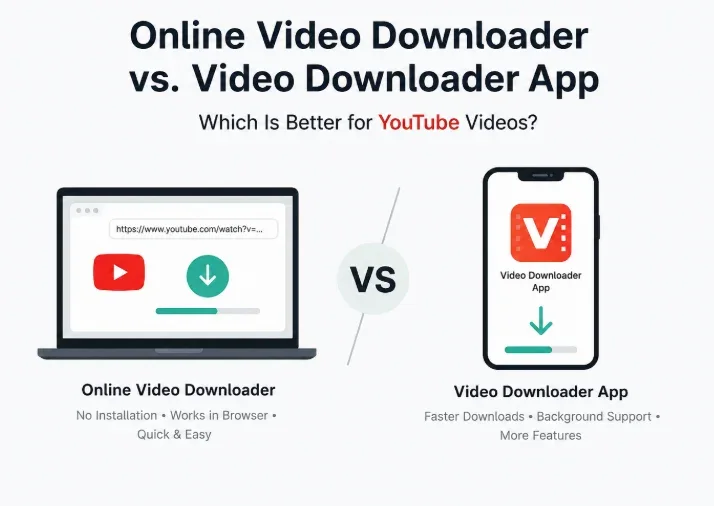
Online tools are limited by the browser environment and usually handle one download at a time. Downloads may stop if the browser tab closes or the screen locks.
Dedicated apps deliver faster performance because they use the device's processor and memory directly. Multi-threaded downloading improves speeds, especially for large files and 4K videos.
Background Downloading
Online tools are less reliable for background downloading because browsers often need to stay open.
Apps fully support background downloading, allowing users to continue using other apps, play music, or lock the screen while downloads continue.
Platform Support and Updates
Online tools use server-side updates, so fixes happen instantly when platforms change. Users do not need to do anything manually.
Apps may require updates when YouTube or other platforms change their systems. Some apps include built-in updates, while others require downloading a newer APK version.
>>> Vivo S60 and S60 Vitality Edition Full Specs Leak Ahead of May 29 Launch
Storage and Device Impact
Online downloaders use almost no storage beyond the downloaded file itself and do not run background services.
This makes them better for older phones with limited storage or RAM.
Apps take up storage space and may run background processes, but they are more suitable for users who download videos frequently.
Privacy and Security
Online tools run inside the browser sandbox and usually do not require accounts, giving them limited device access.
Apps require installation permissions, and APK downloads carry a slightly higher risk if downloaded from unofficial sources. They are safer when installed only from official developer websites.
Which One Should You Choose?
Choose an online tool if you download videos occasionally, use multiple devices, want zero setup, or prefer quick one-off downloads.
Tools like VidsSave are ideal for this type of usage.
Choose a dedicated app if you download videos frequently, need faster speeds, want background downloading, or prefer an all-in-one Android downloader.
Apps like VidMate work better for heavy users.
Many people use both options together: online tools for quick downloads on any device and dedicated apps for regular Android use.
Final Verdict
Both methods are highly capable in 2026. Online tools are simpler and lightweight, while dedicated apps provide a smoother long-term experience for heavy users.
>>> Asus VM441 AiO PC with Snapdragon X and 23.8-inch Touchscreen Launched in India
The better choice depends on download frequency, device type, and setup preference.