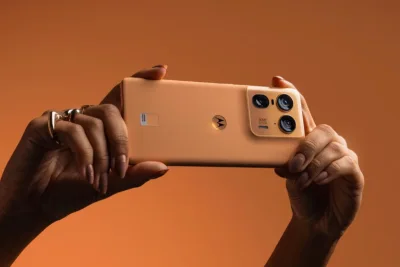
Motorola has addressed recent complaints from users who noticed unusual behavior when opening the Amazon Shopping app on their phones.
Instead of launching directly, some devices briefly opened a browser window and routed users through a tracking link before reaching Amazon.
>>> Honor X80 leak hints at 10,000mAh+ battery, 6.8-inch screen, June launch
The issue gained attention earlier this week, with users of premium devices like the Motorola Razr 60 Ultra reporting the unexpected behavior.
Researchers found that Motorola's pre-installed Smart Feed app appeared to be intercepting app launches and redirecting them through affiliate links.
According to reports, the redirects included affiliate tracking codes that could generate commissions from purchases.
Network analysis linked the behavior to domains associated with Motorola's advertising and content recommendation partners.
Motorola has now acknowledged the issue and says it has been fixed.
>>> Galaxy Z Fold 8 Wide dummy appears in hands-on video, revealing design
In a statement to Android Authority, the company described the behavior as "unintended" and caused by a routing configuration issue within the Smart Feed app.
The configuration has been corrected, and apps should now open normally without being routed through tracking links.
The company added that it "takes user experience, privacy, and platform integrity seriously" and will "continue to closely monitor the system to ensure expected behavior across devices."
However, Motorola has not fully explained how the affiliate-link behavior ended up in the software.
>>> Honor Magic 9 leak reveals 100MP square selfie and 200MP main camera
While the company insists the redirects were unintentional, some users have questioned why app launches were routed through affiliate infrastructure at all.
The issue appears linked to a recent Smart Feed update and was primarily reported by users in the United States.
It is not entirely clear how widespread the behavior was.
For users who remain concerned, Smart Feed can be disabled through the phone's app settings: go to Settings, tap Apps (or Apps & Notifications), tap See all apps and locate Smart Feed, then tap Disable.
The incident serves as another reminder that pre-installed software can sometimes do more behind the scenes than most users realize.
>>> Asus launches world's first WiFi 8 router, ROG Rapture GT-BN98 Pro
Motorola says the problem has been resolved, but whether that explanation satisfies users remains to be seen.