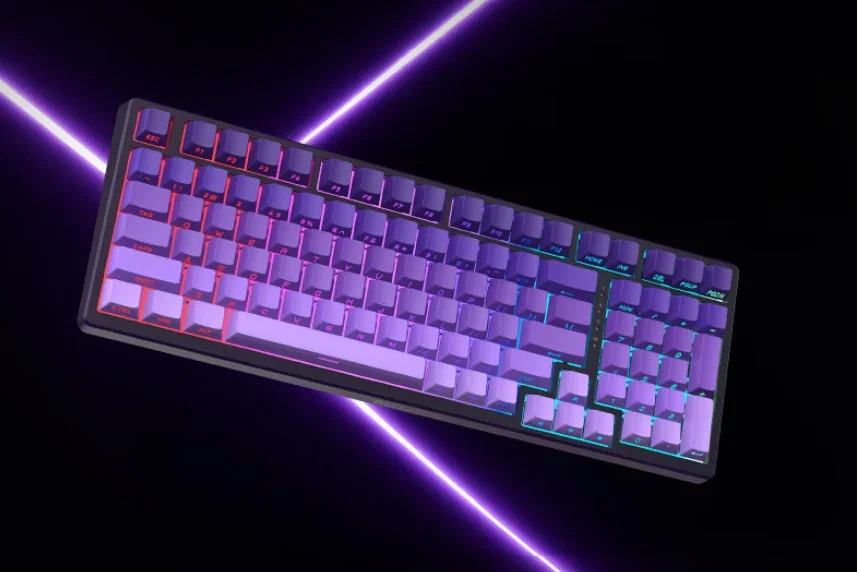
Lenovo has introduced a new budget-friendly mechanical keyboard in China, the Lecoo Bellator GK101.
Priced at 299 yuan (approximately $44), it packs several modern features typically found in higher-end models.
Key Specifications and Features
The GK101 features a 99-key layout with double-shot PBT keycaps. The keycaps have side-printed legends and a translucent design that allows RGB lighting to shine through.
The lighting system includes preset effects, adjustable brightness, and wraparound light strips on the sides.
For typing comfort, Lenovo uses a gasket-mounted structure with five layers of sound-dampening material. This reduces case noise and vibrations, resulting in a softer feel.
The keyboard comes with custom self-lubricating switches. They have a 50±10gf actuation force and 4.0±0.5mm total travel.
The PCB is fully hot-swappable, so users can replace switches without soldering.
On the technical side, the GK101 supports a 1000Hz polling rate and full N-key rollover.
It offers three connection methods: wired USB-C, Bluetooth, and 2.4GHz wireless via an included USB receiver.
The receiver can be stored in a hidden compartment on the back.
The keyboard is compatible with both Windows and macOS. Users can toggle between OS layouts using a keyboard shortcut.
Battery and Dimensions
An 8,000mAh battery powers the GK101.
Lenovo claims about 15 to 20 days of use in power-saving mode with backlighting off, assuming four hours of daily use.
With RGB at maximum brightness, the battery lasts around 14 hours of continuous use, or roughly a week of typical wireless use.
The GK101 weighs 1,013 grams and measures 387.62 x 138.92 x 43.39 mm. It includes dual-stage feet for adjusting the typing angle.