Docking stations now come in two distinct flavors: high-end Thunderbolt 5 models for heavy workloads and compact USB-C hubs for basic connectivity.
The Belkin Connect Thunderbolt 5 Dock and Asus's Adol HC112 sit at opposite ends of this spectrum.
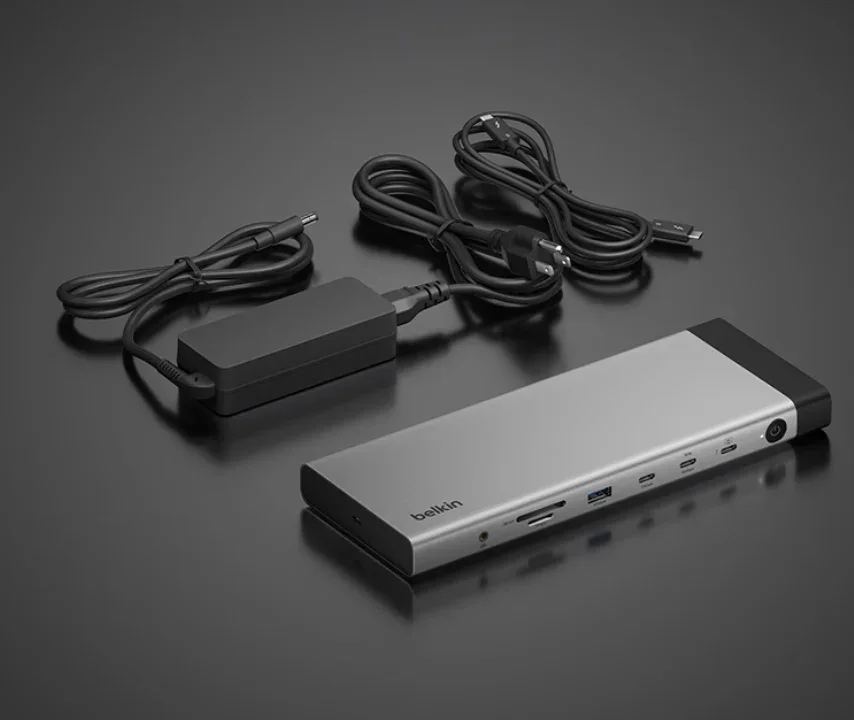
Belkin Connect Thunderbolt 5 Dock: A Workstation Powerhouse
The Belkin dock packs 14 ports into an aluminum body, connecting via a single Thunderbolt 5 cable.
It offers 80Gbps standard throughput, boosting to 120Gbps for high-resolution displays.
Video output includes DisplayPort 2.1 and HDMI 2.1, both supporting 8K at 60Hz or 4K at 240Hz.
With a Thunderbolt 5 Windows laptop, you can run three external 4K displays at 144Hz each, or up to four screens total.
MacBooks with M1 through M3 chips are limited to one external display, while M1 Pro and newer support two.
It delivers up to 140W to your laptop and 15W to downstream devices, plus 2.5Gb Ethernet.
Priced around $338 to $358, it's not backward compatible with Thunderbolt 3.
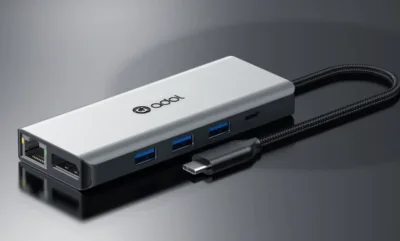
Asus Adol HC112: A Portable USB-C Hub
The Asus dock is designed as a laptop bag accessory, measuring just 116 x 48 x 15mm and weighing 81 grams.
Its aluminum alloy shell acts as a heat sink, and the braided cable adds durability.
Despite its size, it offers 11 ports, including HDMI and DisplayPort 1.4 with up to 8K at 30Hz or 4K at 120Hz.
Data transfer reaches 10Gbps via USB 3.2, and it includes SD/microSD readers, a 3.5mm audio jack, and USB-C PD input up to 100W.
It works without drivers on Windows, macOS, Linux, Android, and iPadOS with a full-function USB-C port.
Launched at 329 yuan (around $48), it's a fraction of Belkin's price.
Which One Should You Buy?
These docks target different users.
The Belkin suits Thunderbolt 5 laptop owners needing a full workstation with high bandwidth and multiple displays.
The Asus is ideal for those who need to connect a couple of monitors and peripherals without extra bulk.
It won't match Thunderbolt speeds, but it covers everyday needs at a much lower price.