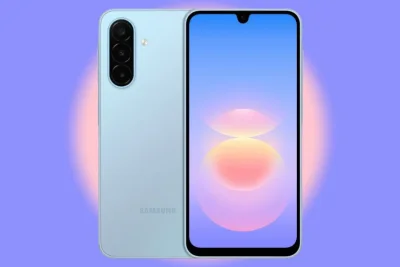
Samsung usually expands the update to mid-range and affordable devices quickly. If all goes smoothly, every eligible device should receive it by the end of this year.
New Features in One UI 9.0
One UI 8.5 already brought major design changes, so One UI 9.0 focuses on advanced Galaxy AI, a redesigned Quick Panel, and better productivity for foldables.
Smarter Galaxy AI
Now Nudge is a contextual assistant that monitors on-screen actions and offers helpful prompts at the right moment.
My FanCam turns a wide shot into a subject-tracking clip right in the Gallery, with cropping and reframing to any aspect ratio.
Voice Photo Assist lets you describe image edits aloud, and the AI does the rest, showing a side-by-side comparison.
Samsung Internet now has an integrated “Ask AI” side panel powered by Perplexity AI for quick search and summaries.
Now Brief gets more personal, letting you build briefing cards tailored to your interests. Cards now have action buttons to jump into tasks without opening apps manually.
Visual and Interface Changes
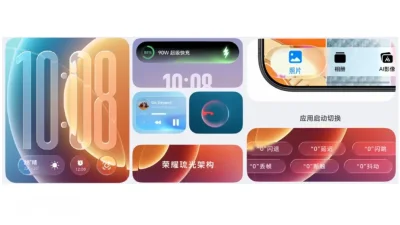
The Quick Panel is revamped with independent ticker slides for brightness and volume, plus a resizable media player.
Optimized Wallpaper Layouts automatically reposition lock screen subjects to avoid overlapping widgets, using generative AI to fill empty spaces.
Condensed Navigation replaces text descriptions with clean titles and swaps bottom bars for floating pill-shaped bars to maximize screen space.
Enhanced Productivity
Three-App Split Screen lets you run three apps side by side seamlessly.
Samsung Notes adds a decorative tape tool to conceal text or straighten crooked handwritten lines, along with new pen styles.
Overlay Game Booster allows tweaking hardware settings on the fly without minimizing the game.
Security and Privacy
AI Assistant Activity gives a clear view of every app action your AI assistants have taken, so you can monitor what they did and when.
Browser Protection alerts you when you accidentally access a malicious website through Samsung Browser.
Advanced Auto Blocker blocks high-risk apps and lets you review extensive data about blocked background installations.
We'll update this post regularly with the latest information.